In short
- Infinity call tracking custom variables, also called custom values, capture extra data from a visitor's web session so you can see it on the call record and send it to integrations.
- Populate an Infinity custom variable by calling the setVariable method after the Infinity tracking script, where the data must be a string and the page must have a tracking number.
- Infinity custom variable names are case sensitive in integrations, and to record an action without a value on the call record you can fire an event with the trigger method, which appears on the visitor trace.
Call tracking custom variables, also called custom values, let you capture extra data from a visitor's web session. You can view this data on the call record in Infinity, and send it to integrations.
What are custom variables?
Custom variables capture extra data from a visitor's web session. You can then see it on the call record in Infinity, and send it to various integrations.
You might use custom variables to capture:
- Third-party IDs for integrations. Infinity uses custom variables to capture the IDs needed for all of our out-of-the-box integrations, such as Google Analytics.
- User IDs for visitors who are logged in.
- User behaviour, such as whether they viewed certain pages or downloaded anything.
- A/B testing, by capturing the name of the test the visitor took part in.
- Anything else with value to report on or send to an integration.
Populate call tracking custom variables
To populate a custom variable, call the setVariable method in Javascript, with the variable name and the data you want to store in it.
For example:
window._its('setVariable', 'myVariableName', 'someData');The data sent must be a string.
If the data is stored in a cookie, you can retrieve the value and set the variable like this:
window._its('setVariable', ' myVariableName', { type: 'cookie', key: 'myCookieName' });You can call the setVariable method at any point on the page after the Infinity tracking script. The page must have a tracking number for the data to be sent back to Infinity.
You can then see the variable in the Custom Value section of the Call Overview.
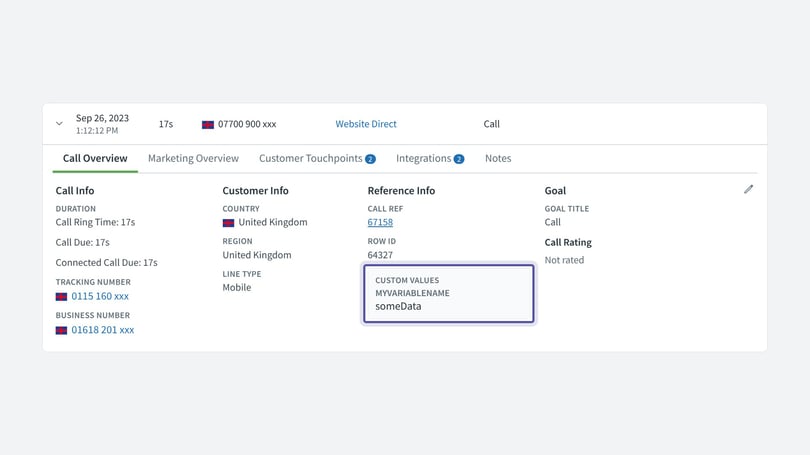
If you use custom variables in integrations, note that the names are case sensitive. They must match exactly what you put in the Javascript, even though the call log shows the names in capitals.
Events or custom variables
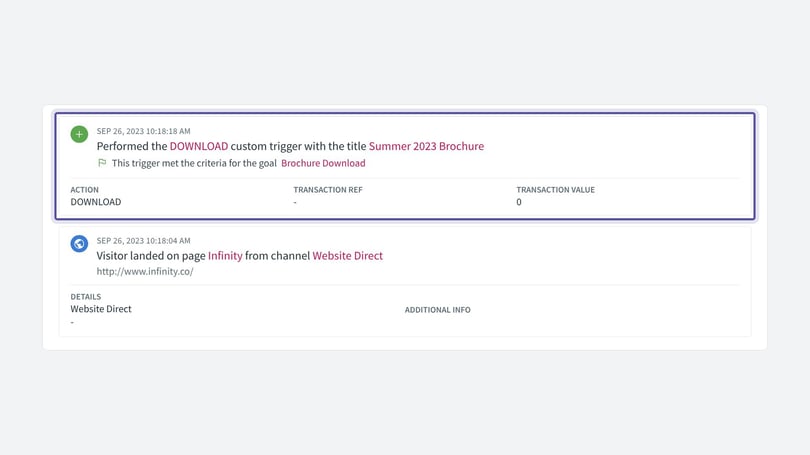
If you want to report on something that happens, but don't need it on the call record and don't need an associated value, you may be better off firing an event from the website. The event appears on the visitor trace, not on the call record. You can also create goals based on events for reporting and to fire integrations.
To send an event from a web session, call the trigger method with the event name and an object containing the event title, for example:
window._its('trigger', 'DOWNLOAD', { t: 'Brochure' });You can then see the event in the visitor trace and the goal reports.
Need more help?
If you still have questions, get in touch with support@infinity.co.