In short
- Smart Outcomes is the AI call outcome tracking feature in the Infinity Platform that categorises phone calls by caller intent and call outcome, such as purchases and quotes.
- Smart Outcomes categorises calls automatically, and you can feed specific call outcomes into your bidding platforms to improve lead quality, average order value and sales conversion rate.
- The Smart Outcomes dashboard in the left-hand navigation of Infinity shows call volumes by intent and outcome category, with Uncategorised showing calls that fit none of your defined categories.
- To filter the Infinity Calls Log by Smart Outcomes, click the green filter button, go to your categories, select intent, outcome or both, and apply.
AI call outcome tracking shows you which phone calls turn into purchases, quotes and other outcomes that matter to your business. Smart Outcomes is the feature in the Infinity Platform that categorises your calls by caller intent and call outcome. This overview explains what Smart Outcomes does, the benefits for you, and where to find your categorised calls in Infinity.
What are Smart Outcomes?
Smart Outcomes is AI call outcome tracking for your phone calls. It uses AI to identify the calls with the outcomes you care about most, so you can see which calls turn into sales.
As a marketer, you can connect those calls to the activities that led to them, and integrate with your bidding tools to drive down your CPL and maximise ROAS.
By connecting intent and outcomes to marketing activity, you can build a feedback loop that helps you automatically optimise for the type of leads you want to drive.
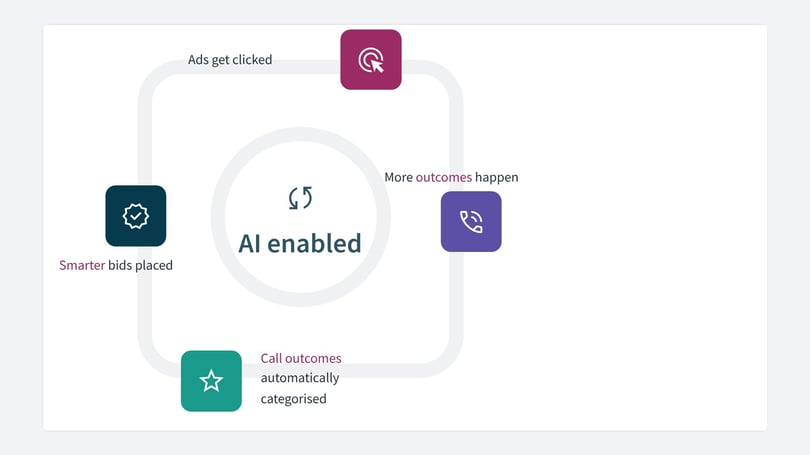
Key benefits of AI call outcome tracking
- Save the hours you currently spend listening to calls.
- Calls are automatically categorised, in real time and at scale.
- You can feed specific call outcomes into your bidding platforms to improve lead quality, average order value and sales conversion rate from marketing spend.
- Quality leads are attributed to marketing sources, which gives you clarity on the performance of your marketing activity.
Reporting in Infinity
In Infinity, you can view your categorised calls from within your Smart Outcomes dashboard, which you'll find in the left-hand navigation. From here, you can identify the volume of different call types, by caller intent and call outcome categories. Uncategorised shows you the calls that did not fit into the categories you have defined.
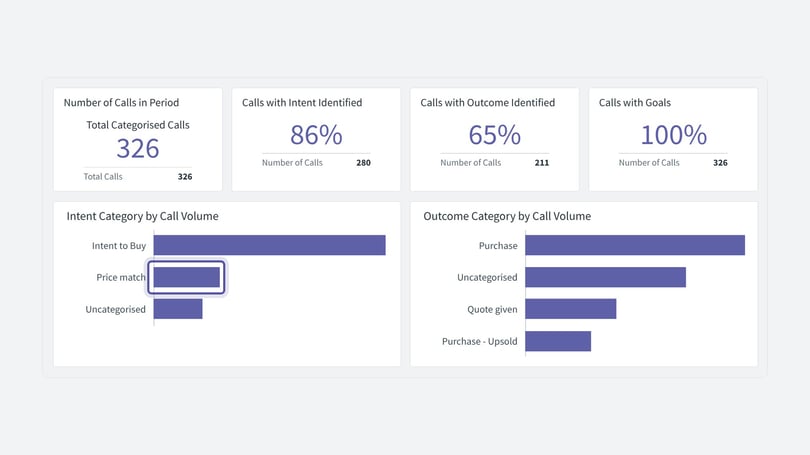
You can click on the values in the intent and outcome bar charts above to filter by those values. For example, if you click on the intent of price match, the outcome category chart updates to show the outcomes associated with those calls.
The call count in the top left of the dashboard also updates to reflect your selections. Clicking on that widget opens the call log in a new window, filtered by your selections, so you can look at the calls in more detail.
You can quickly understand how your marketing channels are performing in driving the right types of intent and outcomes. Use this data to optimise towards high-performing marketing activity.
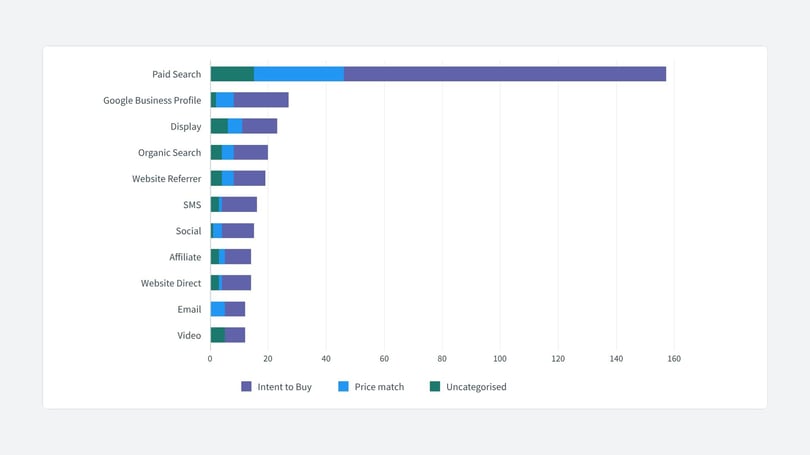
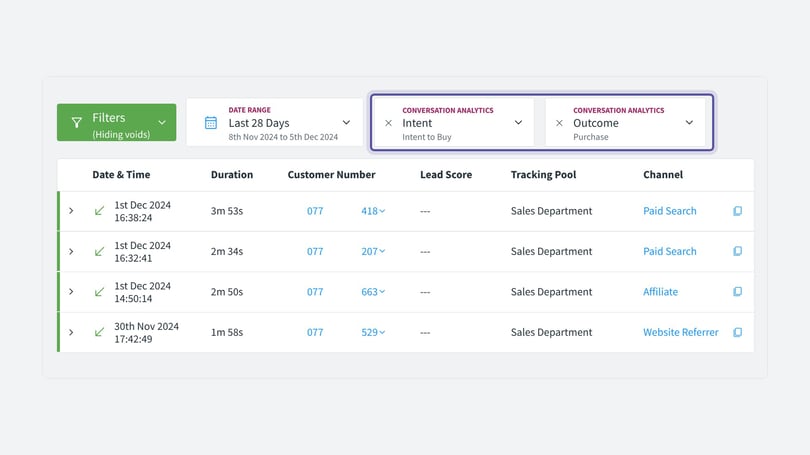
In addition, you can filter your Calls Log by intent and outcome, which helps you narrow down to the specific calls that met your criteria. From the logs, click the green filter button, navigate to your categories, select either intent, outcome, or both, and apply.
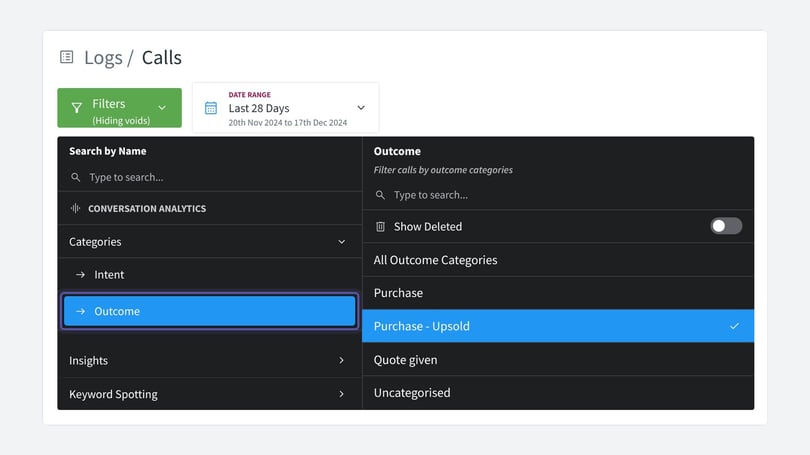
Here is an example of how the call log looks with your chosen intent and outcome filters applied:
For related set-up, see the Google Ads integration guide.
For more information on Smart Outcomes, reach out to your Customer Success Manager or Support.