In short
- Infinity call recordings appear in the Calls log under Logs > Calls in the Infinity Platform, where you play one back with the blue play icon next to the call.
- Infinity call recordings are available to review and download for up to one month, and storage can be extended on request, in writing, for a further 3, 6, 12, 24 or 36 months at a cost per call.
- Call recording is set for each tracking pool in Infinity by selecting or deselecting Enable Call Recording under Settings, then Settings in the Setup menu > Telephony Settings > Tracking Pools Editor > Edit Config.
- You can pause Infinity call recording during a call by pressing *0 (star-zero) on your phone's keypad, and press *0 again to resume recording.
Call recordings let you listen back to your calls in Infinity. This guide shows you how to find and play back a recording in the Calls log, how long recordings are kept, and how to turn call recording on or off for each tracking pool.
Access your call recordings
Recordings appear in the Calls log, next to the call they belong to. To play one back, follow these steps.
- Log in to the Infinity Platform.
- From the Logs section on the left-hand side, select Calls from the list.
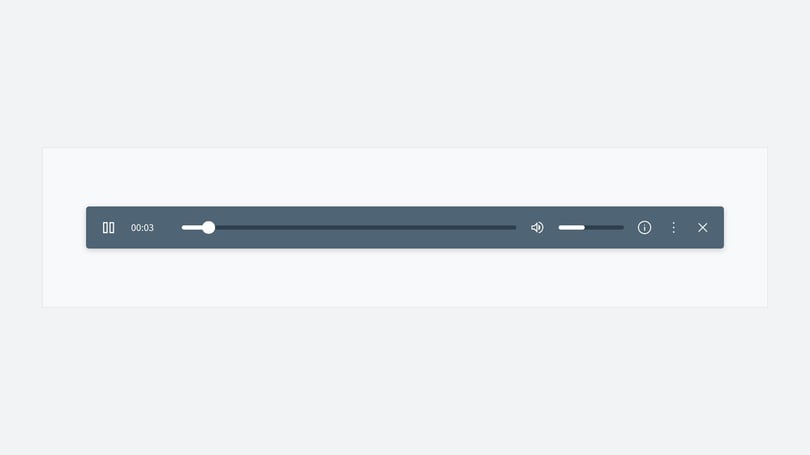
- The call recordings are visible within the Calls log. Play one back using the blue play icon to the right of the screen.
How long recordings are kept
Your call recordings are available to review and download for up to one month only.
You can extend storage on request, in writing, for a further 3, 6, 12, 24 or 36 month period.
Extra storage is charged on a cost per call basis. See our Account security article, which covers data storage costs, or contact the Support Team for details.
Turn call recording on or off
Call recording can be enabled for all packages when your installation is set up. You set it for each tracking pool, so you choose which pools record calls. You can disable it whenever you want, and enable it again at any time in the Infinity Platform.
Turn call recording on or off for a tracking pool
Follow these steps for each tracking pool you want to change.
- Log in to the Infinity Platform and select Settings.
- Select Settings from the Setup menu.
- Select Telephony Settings.
- Select Tracking Pools Editor.
- Search or scroll for your relevant tracking pool if you have more than one.
- Select Edit Config.
- Select or deselect Enable Call Recording.
- Select Save Changes.
- Repeat the steps for each of your tracking pools.
Pause call recording during a call
You may not want sensitive information recorded. You can pause call recording instantly during a call by pressing *0 (star-zero) on your phone's keypad. Press *0 again to resume recording.
Need more help?
To find out more about where recordings appear in your reporting, read our Calls log guide. To learn how tracking pools work, read Dynamic numbers and tracking pools.
If you're still stuck, get in touch with your account team or email support@infinity.co.